See every enquiry
View conversations from connected Facebook Pages in one shared inbox.
Facebook Messenger CRM Integration
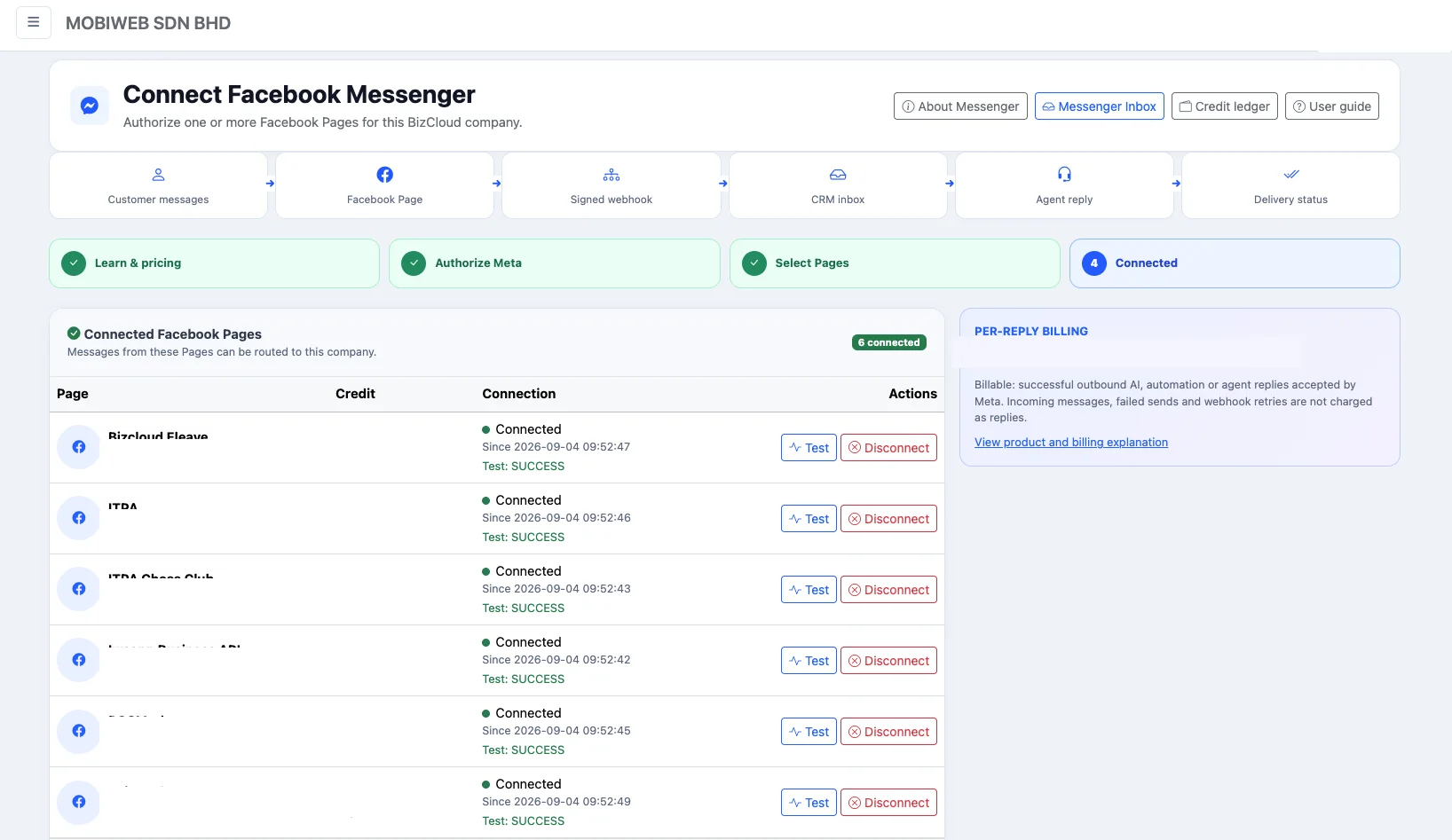
Connect one or more Facebook Pages, receive customer messages in iCRM and let your team reply from a shared workspace. Link conversations to CRM customers, spot enquiries that still need attention and measure service performance from first message to final response.
One operational view
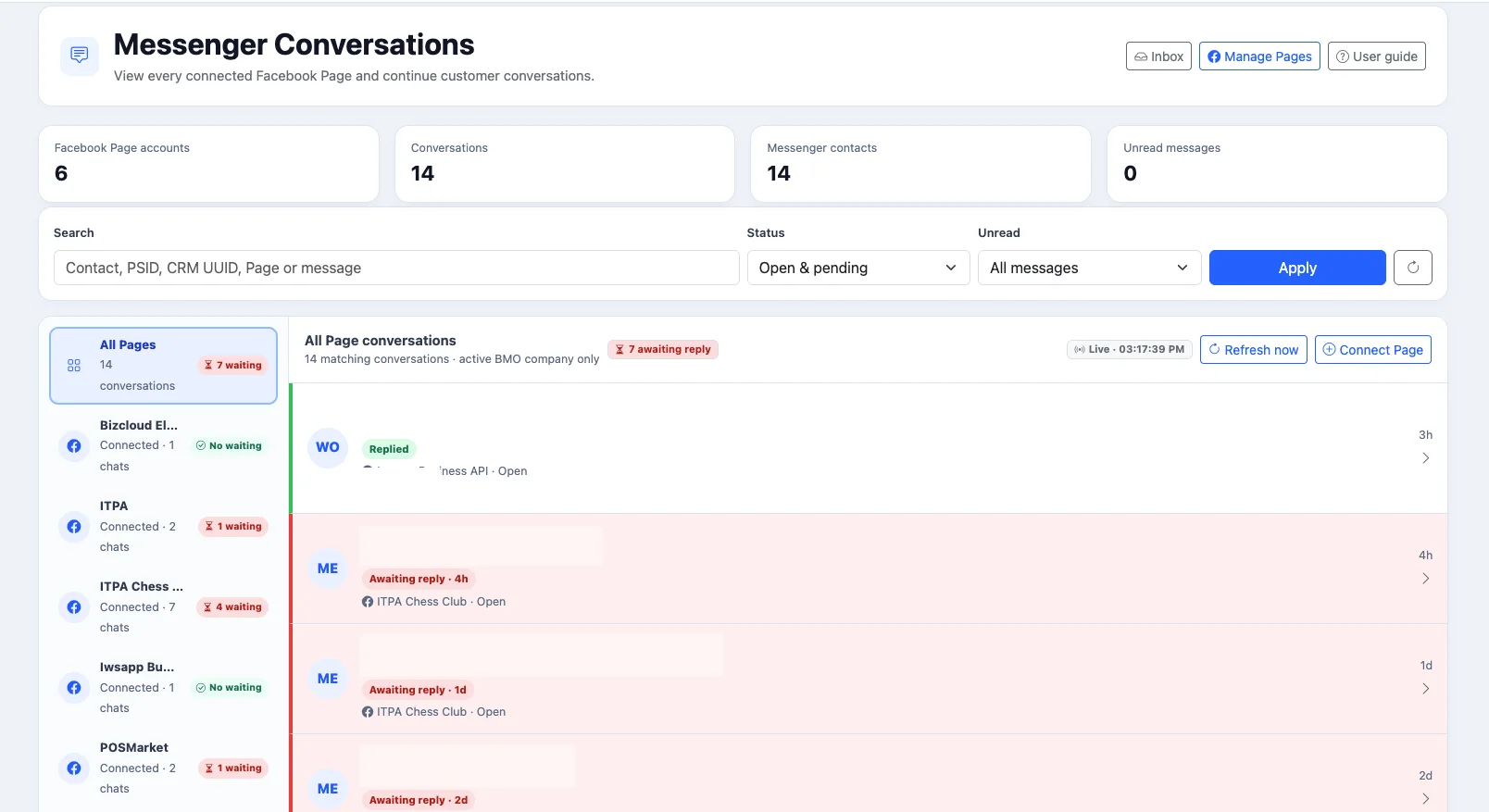
When several people manage multiple Facebook Pages, it can be difficult to know which customer has been answered, who handled the conversation and what happened next. iCRM brings those conversations into one operational view so the team can respond consistently and keep a usable record.
View conversations from connected Facebook Pages in one shared inbox.
Clear awaiting-reply and overdue indicators help the team prioritise unanswered customers.
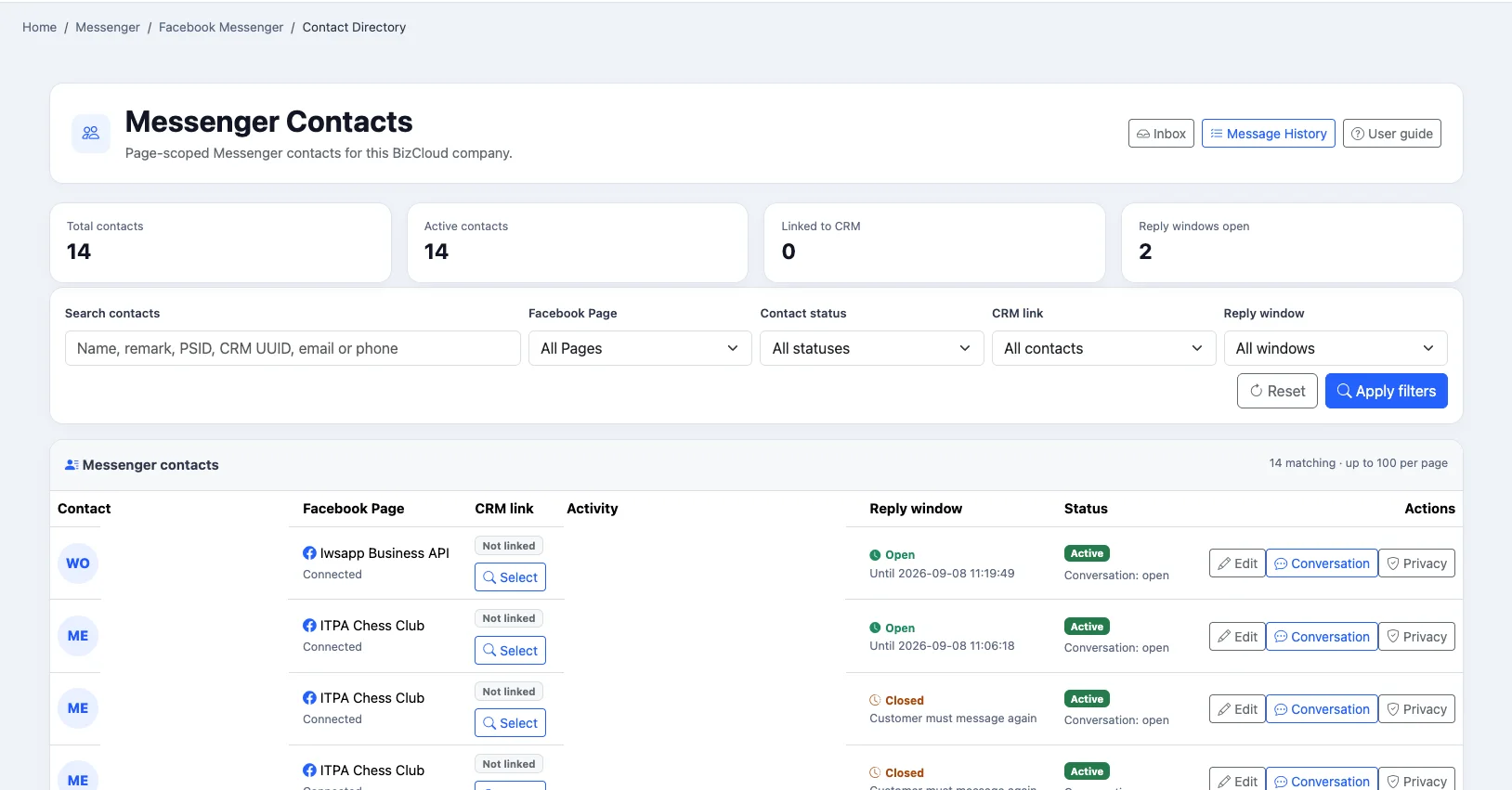
Link a Messenger contact to an existing customer and preserve useful names and internal remarks.
How it works
Authorise the Pages your business manages through the Facebook login and permission flow.
New Facebook Page messages appear in the shared Messenger inbox.
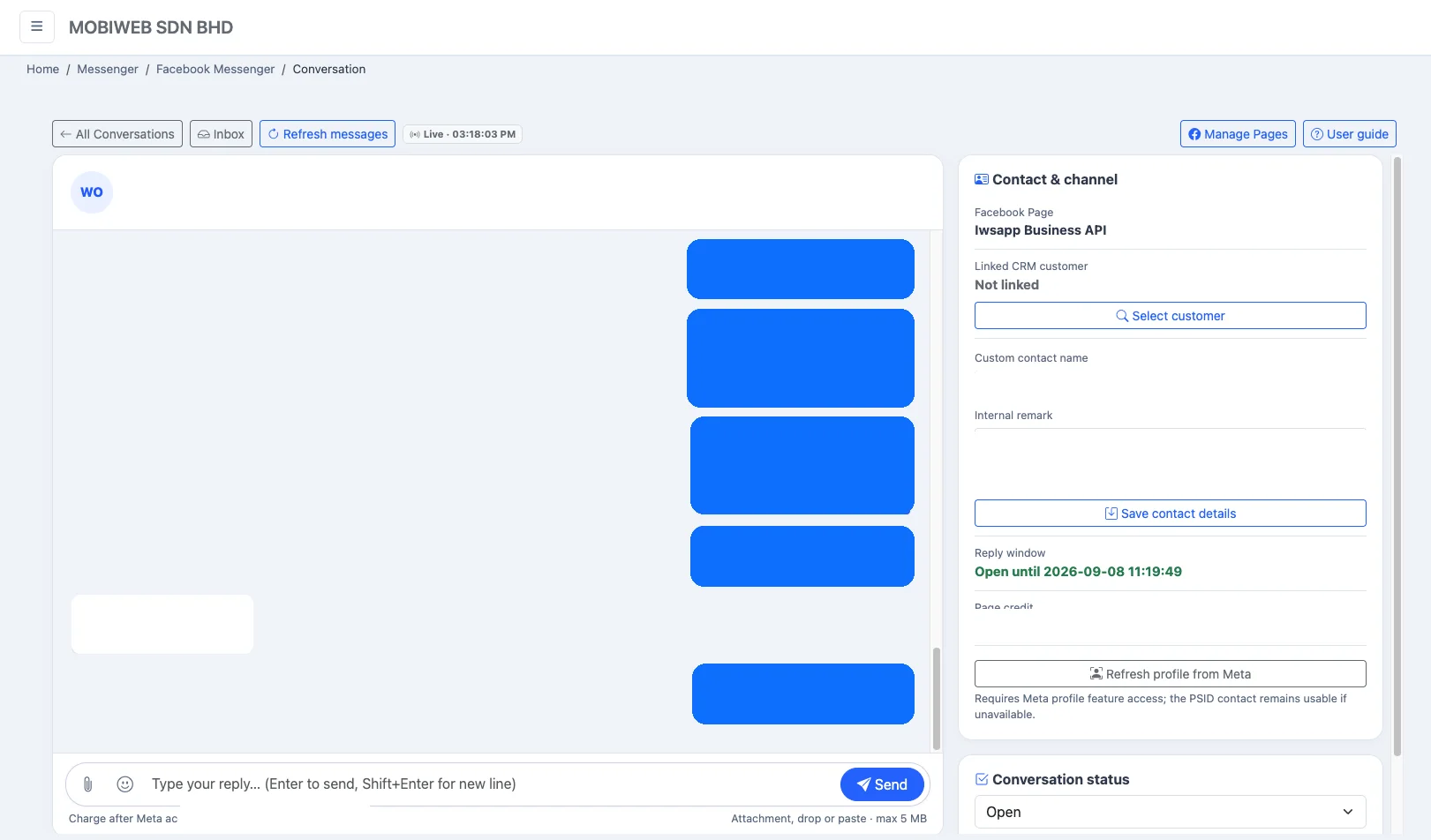
Review the history and reply from iCRM while the permitted Messenger reply window is open.
Monitor response status, response time, message history and team performance.
Shared inbox
Filter conversations by Facebook Page, status or unread activity. Automatic updates and manual refresh controls help the team see recent messages without repeatedly reloading the full page.
Conversation workspace
Agents can review the conversation, send text, emojis and supported attachments, manage the conversation status and see the current reply window from one screen.
CRM contact linking
Link a page-scoped Messenger contact to an existing CRM customer, add a clear internal display name and save a useful remark for the team. The linked identity can then appear across the contact directory, conversations and message history.
Analytics and reporting
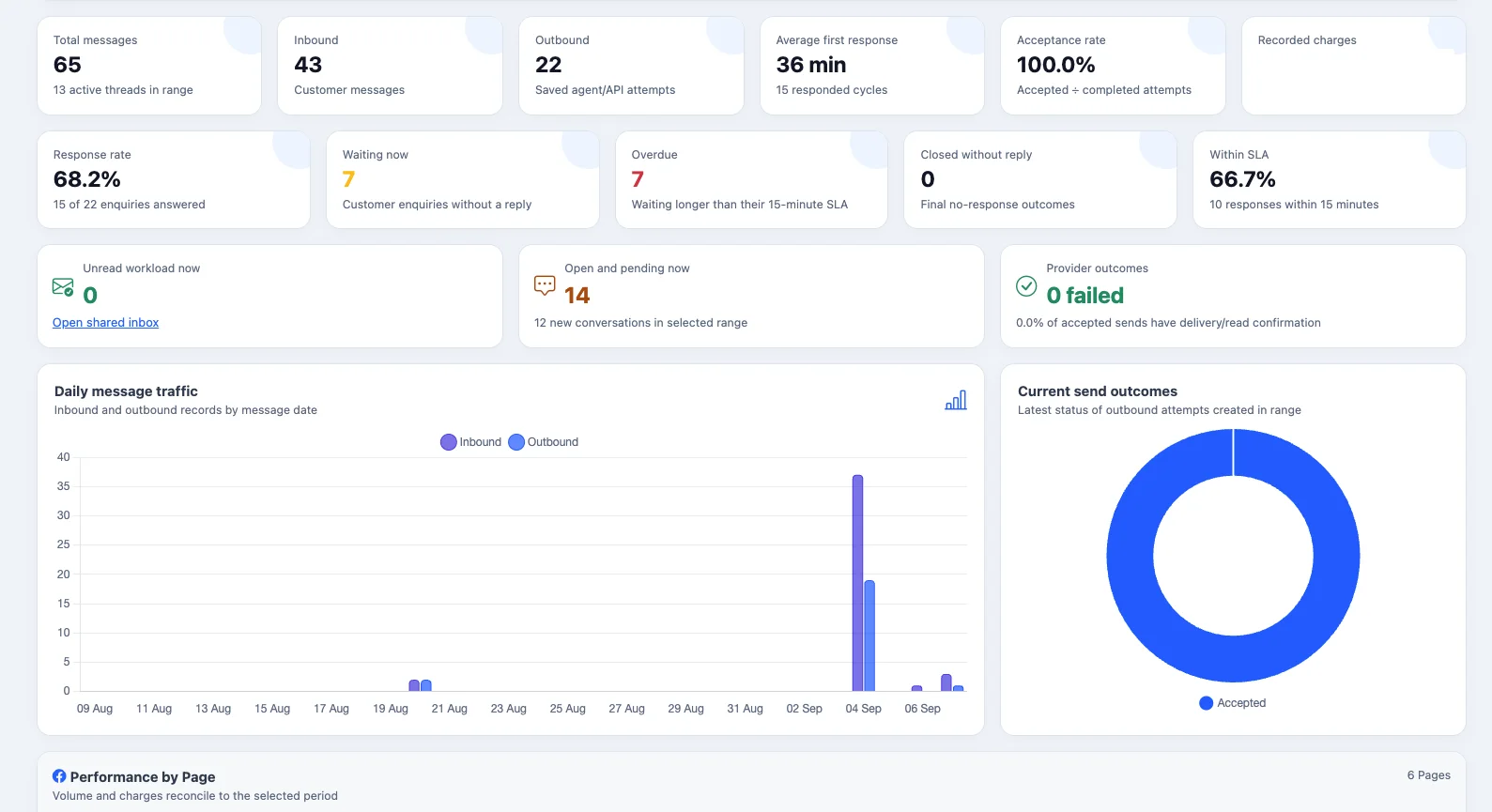
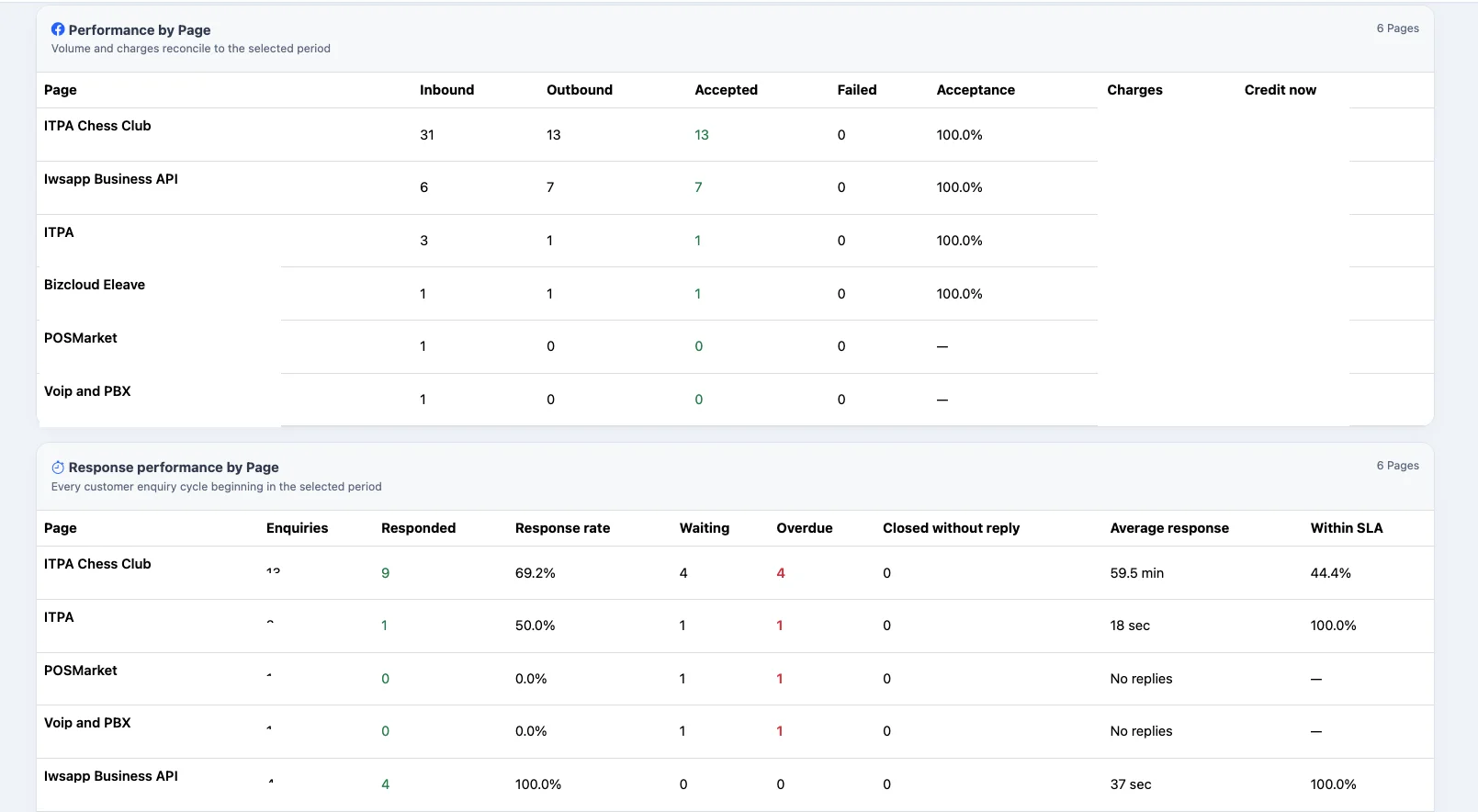
The Messenger analytics dashboard converts saved conversation activity into practical service metrics. Review performance for a selected date range and Facebook Page.
Message history
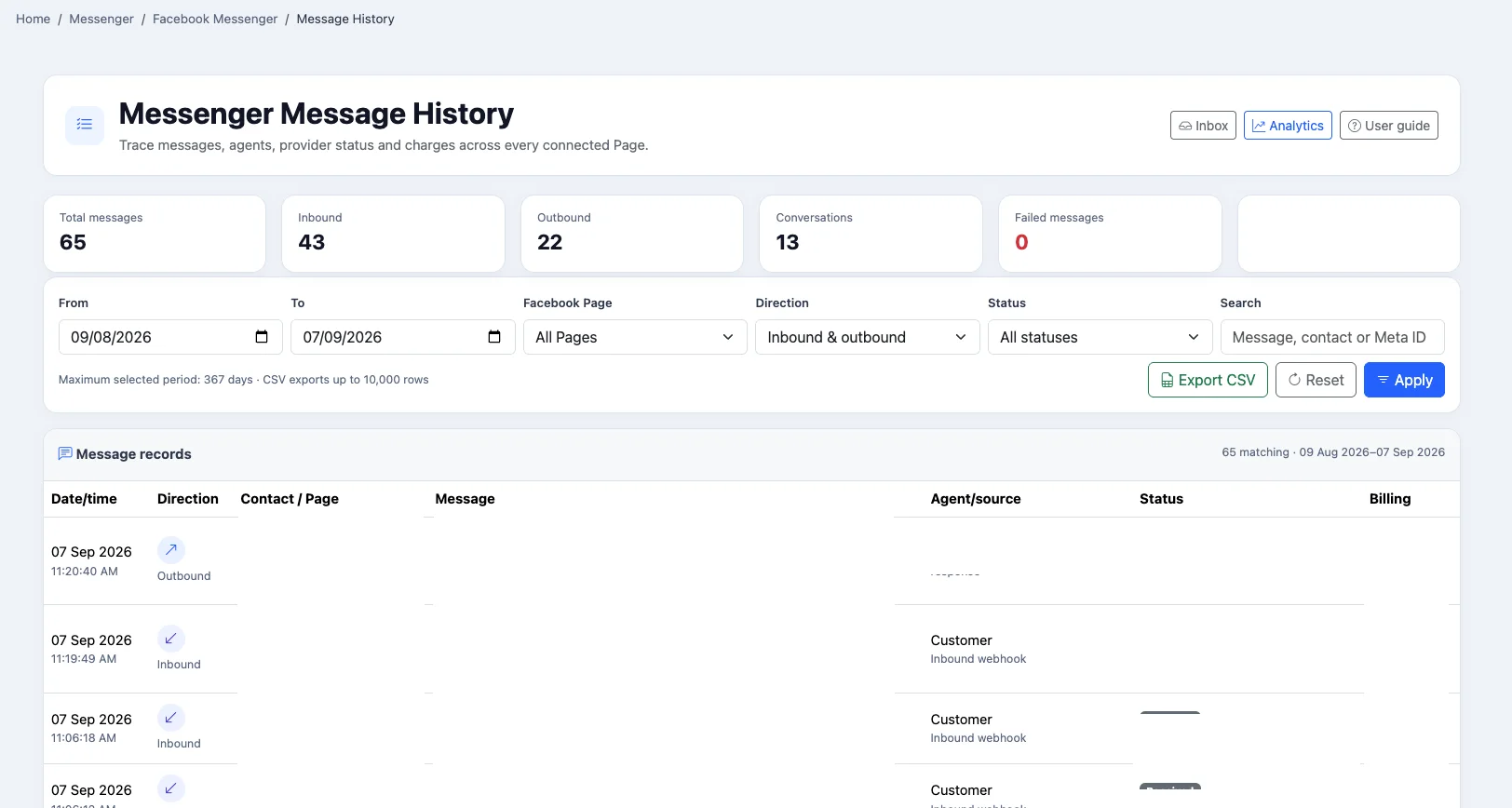
Search message activity by date, Facebook Page, direction, status or contact. Review who sent each reply and its delivery outcome, then export the selected records to CSV when needed.
Privacy and control
Authorised users can locate Messenger contact data, export available records for an access request, anonymise stored contact information and disconnect Facebook Pages when the integration is no longer required.
For approved integrations, iCRM can forward normalised Messenger events to a configured HTTPS endpoint. Signed webhook delivery, retry handling and a recent delivery log help technical teams connect Messenger activity to other business processes.
These controls support your organisation’s privacy processes; they do not replace your own legal and compliance responsibilities. Messenger availability and message sending remain subject to Meta permissions, platform policies and allowed reply windows.
Ideal users
Handle enquiries generated by Facebook campaigns.
Support customers across several Facebook Pages.
Give branches shared visibility of conversations.
Review response time and workload performance.
Keep conversations linked with customer records.
Frequently asked questions
Yes. Authorised Pages can be connected and viewed from the shared Messenger workspace, subject to your account setup and Meta permissions.
Yes. Authorised iCRM users can work from the shared inbox, and outbound records retain the agent or source where available.
Yes. A Messenger contact can be linked, changed or unlinked from a CRM customer record. Teams may also save an internal custom name and remark.
The conversation list identifies waiting conversations, while the analytics dashboard reports waiting and overdue enquiry cycles.
Yes. Available metrics include response rate, average first-response time, within-SLA responses, overdue enquiries and performance by Page or agent.
The conversation workspace supports text, emojis, line breaks and supported attachments, subject to Meta’s current Messenger platform rules.
The inbox and conversation views can refresh automatically, and users also have a manual refresh control.
Yes. Message sending remains subject to Meta’s current platform policies, permissions and allowed reply windows.
The Message History page supports CSV export for the selected filters and date range.
It includes tools that support locating, exporting and anonymising stored Messenger contact data. Each organisation remains responsible for its own legal and compliance obligations.
See how your team can connect Facebook Pages, respond from one shared inbox and turn Messenger activity into trackable CRM follow-up.